

Access friction
Technicians blocked from systems at customer sites
Technology support for mobile and field teams that need reliable scheduling, VPN, devices, job visibility, reporting, and practical support when off-site work depends on fragile systems.
Start with a practical assessment of your workflows, systems, and support gaps — sized for Canadian SMB teams.
Field service teams depend on mobile access, scheduling, and job visibility every day — when technology fails off-site, revenue and customer trust both suffer.
Assessment signals
Mobile access friction
VPN and mobile access friction blocks field staff from systems.
Access riskScheduling sprawl
Scheduling and job status spread across texts, calls, and ad hoc tools.
Process gapDevice support gaps
Field devices lack consistent support, patching, or documentation.
Support gap
Operating patterns IT F1RST helps teams in field service & mobile teams fix across the GTA and Canada.
Technicians hit VPN failures, slow connections, or confusing login steps before accessing schedules, forms, or client records.
IT F1RST stabilizes VPN and mobile access paths, documents login steps, and aligns connectivity with field workflows.
Technicians reach job systems reliably from customer sites and vehicles.
 VPN
VPN M365Managed IT
Dispatch, technicians, and office staff use different apps, texts, and calls — job status is never in one place.
IT F1RST connects scheduling tools, notifications, and status updates into trackable workflows.
Dispatch and field teams share one view of job status and next steps.
 Power Automate
 Teams
TeamsRugged tablets, phones, and laptops fail without asset lists, MDM coverage, or a named help desk contact.
IT F1RST inventories field endpoints, applies practical device standards, and connects hardware to managed support.
Device issues are resolved remotely when possible instead of waiting for office visits.
M365 MFA
MFATechnicians submit job notes through text, email, or paper — office staff rebuild status manually at end of day.
IT F1RST connects mobile forms, job records, and notification paths so completion data flows automatically.
Office teams see job completion in near real time instead of end-of-day reconstruction.
Power AutomateCRM SharePoint
Appointment confirmations and arrival notifications are inconsistent — customers call the office for status.
IT F1RST automates customer notifications tied to scheduling and job status changes.
Customers receive reliable updates and office staff field fewer status calls.
Power AutomateM365CRMWhen field connectivity or phone lines fail, staff bounce between carrier, VPN, and device vendors without a playbook.
IT F1RST documents telecom, VPN, and device vendor contacts with escalation paths for field operations.
Connectivity issues resolve with the right vendor instead of guesswork from the truck.
VPNTeamsNot sure which field service & mobile teams problem to tackle first?
IT F1RST can review your environment and recommend the fastest stabilization path.
Field service teams cannot afford VPN failures, scheduling chaos, or devices nobody supports. IT F1RST helps mobile operations stabilize access, connect job workflows, and build reporting visibility so off-site work is less dependent on informal workarounds.
Field service technology friction signals
Technicians blocked from systems at customer sites
Job status spread across texts and separate tools
Field endpoints without managed support coverage
Customers calling the office because updates are inconsistent
How scheduling, VPN, devices, and job visibility become a supportable field service environment.
Mobile access, scheduling, and job reporting break down when VPN, devices, and vendors lack ownership.
 OutlookExcelMicrosoft Teams
IT F1RST improves VPN and device support, connects scheduling workflows, and builds job visibility dashboards.
VPNManaged IT Power BI
Technicians work with reliable mobile access, visible job status, and documented support paths.
Microsoft TeamsPower BIManaged ITPractical outcomes for teams in field service & mobile teams — support paths, documentation, and systems that hold up after go-live.
Stabilized VPN paths, login documentation, and connectivity sized for mobile workflows.
Technicians reach job systems from the field without daily access failures.
Connected dispatch, notifications, and status updates across field and office teams.
One shared view of job progress instead of text-message reconstruction.
Asset inventory, patching standards, and remote support for phones, tablets, and laptops.
Device issues resolved remotely when possible instead of truck rolls to the office.
Reporting views for completion rates, technician activity, and operational KPIs.
Leadership sees field performance without end-of-day manual compilation.
Telecom, VPN, and device vendor contacts with escalation paths for field operations.
Connectivity failures resolved with the right vendor from the first call.
Starting points when field service & mobile teams teams need stabilization or improvement.
Stabilize VPN infrastructure, document login steps, and align connectivity with field workflows.
Example: A service company whose technicians stopped using VPN because it was too slow for job forms.
Connect scheduling tools, notifications, and job status updates for dispatch and field teams.
Example: A HVAC team where dispatch status lived in one app and technicians tracked jobs in text threads.
Catalog phones, tablets, and laptops with management standards and help desk coverage.
Example: A mobile repair fleet with no record of which technician had which phone model.
Connect field forms, job records, and office notifications for completion reporting.
Example: An electrical contractor whose office rebuilt daily job sheets from technician photos and texts.
Build dashboards for job completion, technician activity, and service KPIs.
Example: A field services manager compiling weekly performance from five different exports.
Explore service families connected to field service & mobile teams operations.

VPN, mobile connectivity, and telecom coordination for field teams.
View service
Remote device support and help desk coverage for mobile staff.
View service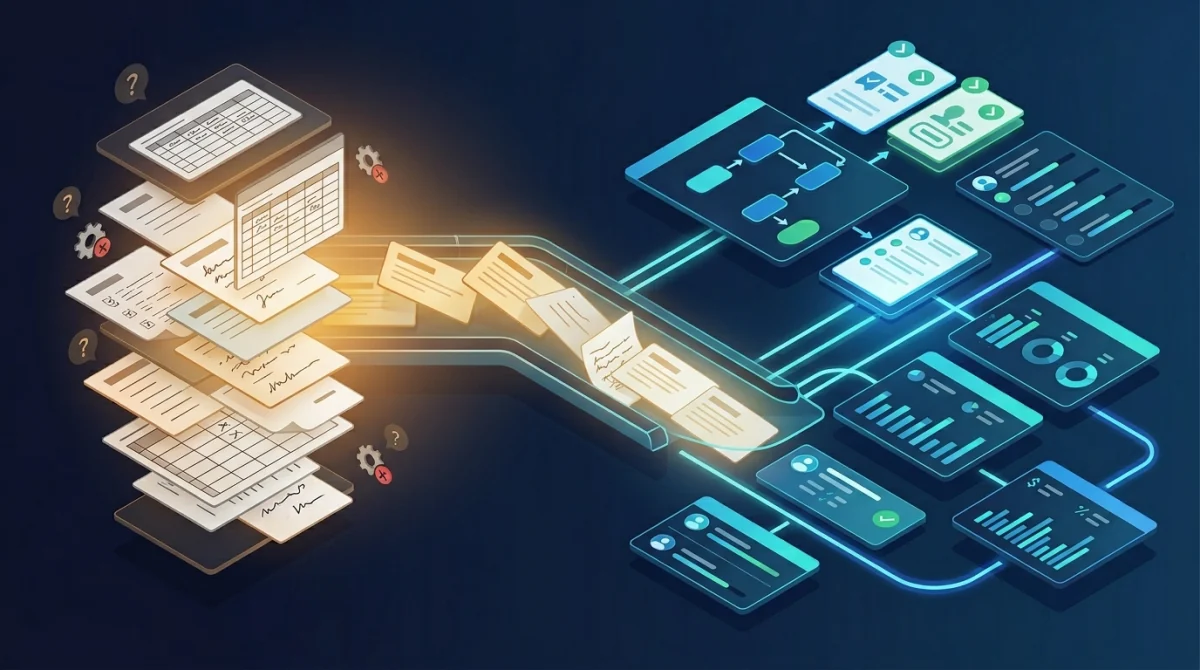
Scheduling, dispatch, and job completion workflow automation.
View service
Job visibility and field operations KPI dashboards.
View service
Email, Teams, and cloud tools for field and office coordination.
View serviceField service teams depend on mobile access, scheduling, and job visibility every day. IT F1RST helps stabilize VPN, devices, workflows, and reporting so off-site work is less dependent on informal workarounds.

Senior technology, infrastructure, and delivery experience
Technology program delivery experience
Websites, systems, infrastructure, automation, and IT delivery
Practical support for Canadian SMBs, with remote delivery available
Certified project leadership that keeps timelines, vendors, and go-live risk under control.
IT F1RST can assess VPN, scheduling, devices, and reporting gaps — then map practical improvements for your mobile team.
Questions from field service & mobile teams teams evaluating IT support, automation, websites, and cloud in the GTA.
Yes. IT F1RST supports field teams with VPN coordination, secure access, device troubleshooting, and practical documentation for off-site work.
Yes. IT F1RST can connect scheduling tools, forms, follow-ups, and reporting workflows so field operations are easier to track and support.
Yes. IT F1RST provides device support, documentation, and vendor coordination for the endpoints field teams rely on daily.
Yes. IT F1RST can help connect operational data and build dashboards that improve job visibility and reduce manual field reporting.
Yes. IT F1RST is Canadian-owned with 20+ years supporting small and medium-sized businesses across Mississauga, Toronto, and the GTA, with Canada-wide remote delivery for most technology projects. On-site visits are used when physical infrastructure or office moves require them.
Start with a practical business technology assessment. IT F1RST reviews your current environment, identifies the highest-impact improvements, and maps a phased path that fits your team size and budget — without enterprise overhead.
Real quotes from the IT F1RST client pool — relevant across field service & mobile teams and similar business environments.

“IT F1RST transformed our IT infrastructure. Their proactive support and tailored solutions significantly improved our operational efficiency, reliability, and data security.”
More stable infrastructure with cleaner support and better security.
“The integration services provided by IT F1RST streamlined our communication and collaboration tools, helping our clinic operate with better consistency and less technical friction.”
Improved online presence, patient workflows, and day-to-day technical reliability.
“Our architecture firm has benefited immensely from IT F1RST’s network and cybersecurity solutions. Their expertise is practical, responsive, and easy to work with.”
Secure remote access, protected project files, and a stronger office technology foundation.
Need systems, websites, email, or automation cleaned up?








